

Technology is only useful if it is charged, secure and easy to reach. In many classrooms, though, devices compete for limited outlets, cords snake across the floor and laptops are piled on a windowsill. The right furniture solves these problems.
Power where students work
- Tables with built-in power: outlets and USB ports in the table surface or a center module make collaborative work easy.
- Power towers and poles: bring outlets to the middle of the room safely.
- Charging stations: a dedicated spot where students charge between classes.
Always follow your district's electrical and fire safety guidelines, and keep cords out of walkways.
Cable management
- Wire troughs and trays under tables
- Grommets that route cords through the work surface
- Cord covers for any cable that must cross the floor
- Velcro straps and labeled cables for teacher stations and AV setups
Device storage and charging
Charging carts
Lockable carts store and charge a full class set of laptops or tablets, and roll between rooms. Look for good ventilation, cable organization and a sturdy lock.
Charging lockers
Individual locking compartments with outlets work well in libraries, hallways and shared spaces.
Desk-level storage
Book boxes or device slots on student desks keep tablets off the floor during non-tech activities.
Teacher and AV stations
A mobile or height-adjustable teacher station with space for a laptop, document camera and controls lets the teacher present from anywhere in the room. AV carts hold projectors, speakers and video equipment safely.
Desks sized for devices
A laptop plus a notebook needs more surface than a textbook alone. When choosing student desks, check that the work surface fits both comfortably. Durable laminate tops with smooth edges protect devices and forearms alike.
Design for sight lines
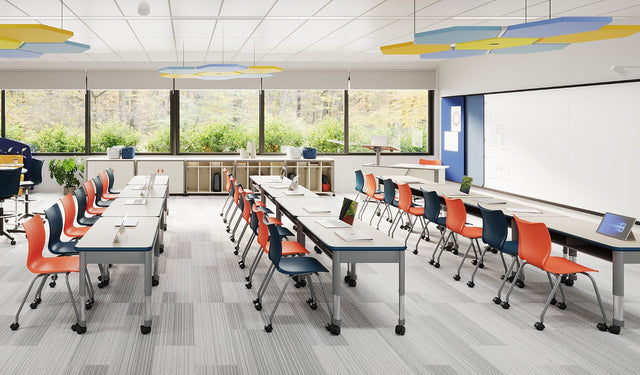
Arrange seating so every student can see the interactive display without twisting or facing a bright window. A CAD layout can show viewing angles before furniture arrives.
Get a tech-ready room
Proacademy Furniture supplies tables with power, AV carts, charging storage and teacher stations from leading brands, and includes power and sight lines in a free CAD layout. Read more about technology in the classroom or request a quote.